No account · 100% offline

Focus more. Drift less.
Your data stays on your phone.

One app for your Pomodoro sessions, habits, goals, projects, and daily journal. No account needed. Everything stays on your phone, forever.

Download on theApp Store
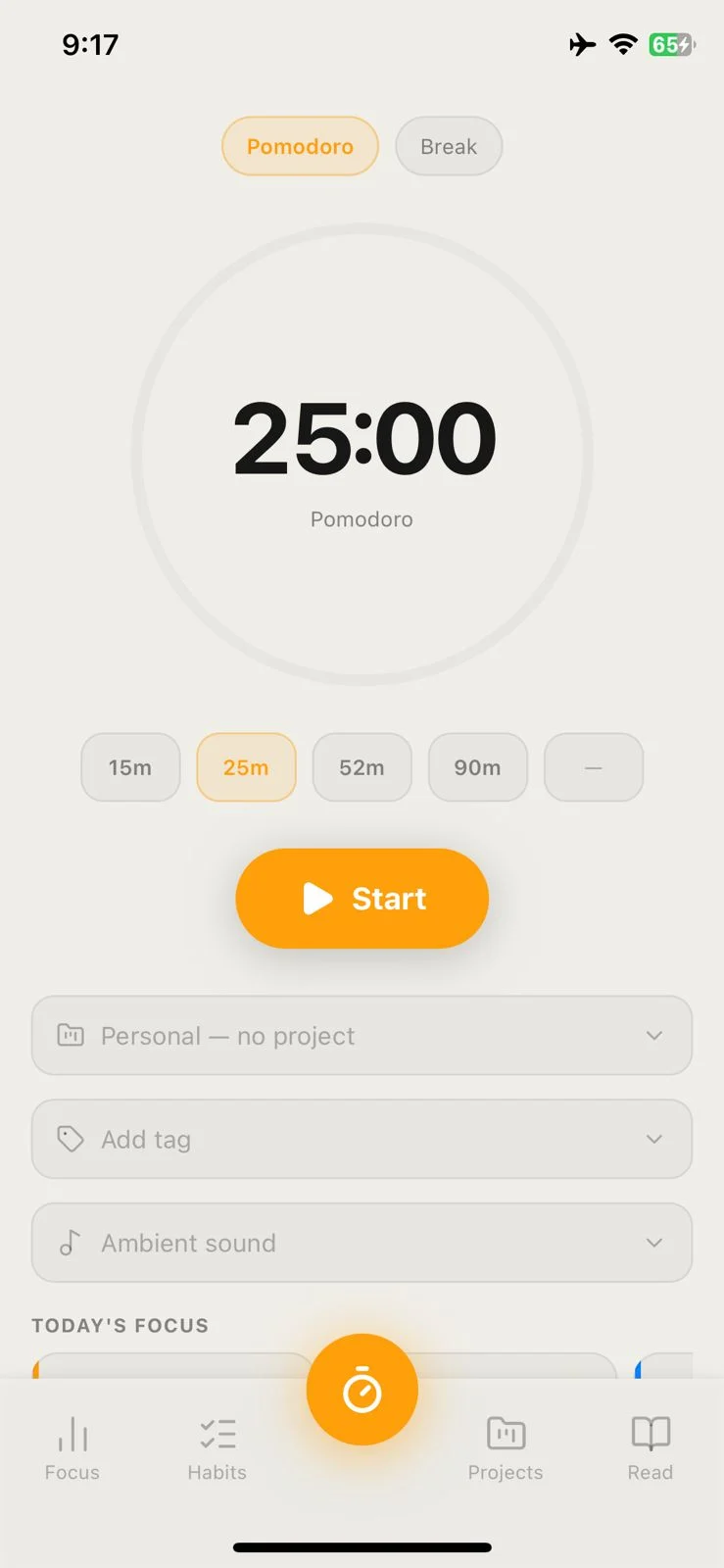
Pomogolo Pomodoro timer screen showing a 25-minute focus session linked to a project
No account needed
Works without internet
Your data stays on your phone
Focus timer

A timer that fits how you actually work

  • Four modes to match your style: Pomodoro (15, 25, 52, or 90 minutes, or set your own), Short Break, Long Break, and Flow — an open count-up that runs until you stop.
  • Tag each session with a project, a label, or a to-do. Your history is organized, not just a list of timestamps.
  • Lock your screen or switch apps — the timer keeps going. It uses OS notifications, so it's accurate every time you come back.
Pomogolo focus timer showing Pomodoro mode with ambient sound picker and project selector
Session quality

See how well you focused, not just how long

After each Pomodoro, a quick check-in asks how focused you were — Distracted, Decent, or In the Zone — with an optional note. Your answers show up in Stats so you can spot your best and worst focus windows.

😵Distracted
😐Decent
🎯In the Zone

Don't like the check-in? Turn it off in Settings.

Focus agenda

Know exactly what to work on before you start

A strip above the timer surfaces your top-priority to-dos and today's habit progress. Tap anything to load it into the timer — one tap and you're working on the right thing.

Urgent
📌High priority
🔄Habit check

Checked-off items stay visible — so you can see what you've already done.

Habit tracker

Habits that fit around your work — not the other way round

Three ways to check in, two habit types, and progress that updates as you log sessions. No separate habit app needed.

Pomogolo Habits Today view with tile grid and progress arcs
Today
Pomogolo Habits Weekly view with 7-day dot tracker and confetti celebration
Weekly
Three views
Today (tile grid), Weekly (Mon–Sun with retroactive logging), and Overall (a full-year heatmap).
Auto-completing habits
Some habits tick themselves off once you've logged enough focus minutes — your deep work habit finishes itself.
Count-based habits
Set your own unit: glasses of water, pages read, reps done. Track anything with a number.
Streak tracking
Skip a day without breaking your streak. See your 12-week trend and a per-habit heatmap.
Projects & todos

Your to-do list, wired directly into your timer

  • Three-column board: To do, In progress, Done. Move cards as you work.
  • Set a time estimate on any to-do. Link it to a session and time logs automatically — no manual tracking.
  • Hit your estimate and the card moves to Done on its own.
  • Mark things Urgent, High, Medium, or Low. The top two show up in your focus strip before you start.
Pomogolo projects screen showing three projects: Google, System design, and Game dev
Dashboard & stats

See where your time actually goes

  • Daily snapshot: sessions done, total focus time, and how close you got to your daily goal.
  • Filter your history by focus quality — find your sharpest windows or see where you keep getting distracted.
  • Weekly chart, per-project breakdown, and per-tag breakdown.
  • All built from sessions you actually logged. Nothing estimated, nothing assumed.
Pomogolo Stats tab showing daily goal ring, Pomodoro count, focus time, streak, and activity heatmap
Goals

Set a target and let your sessions do the work

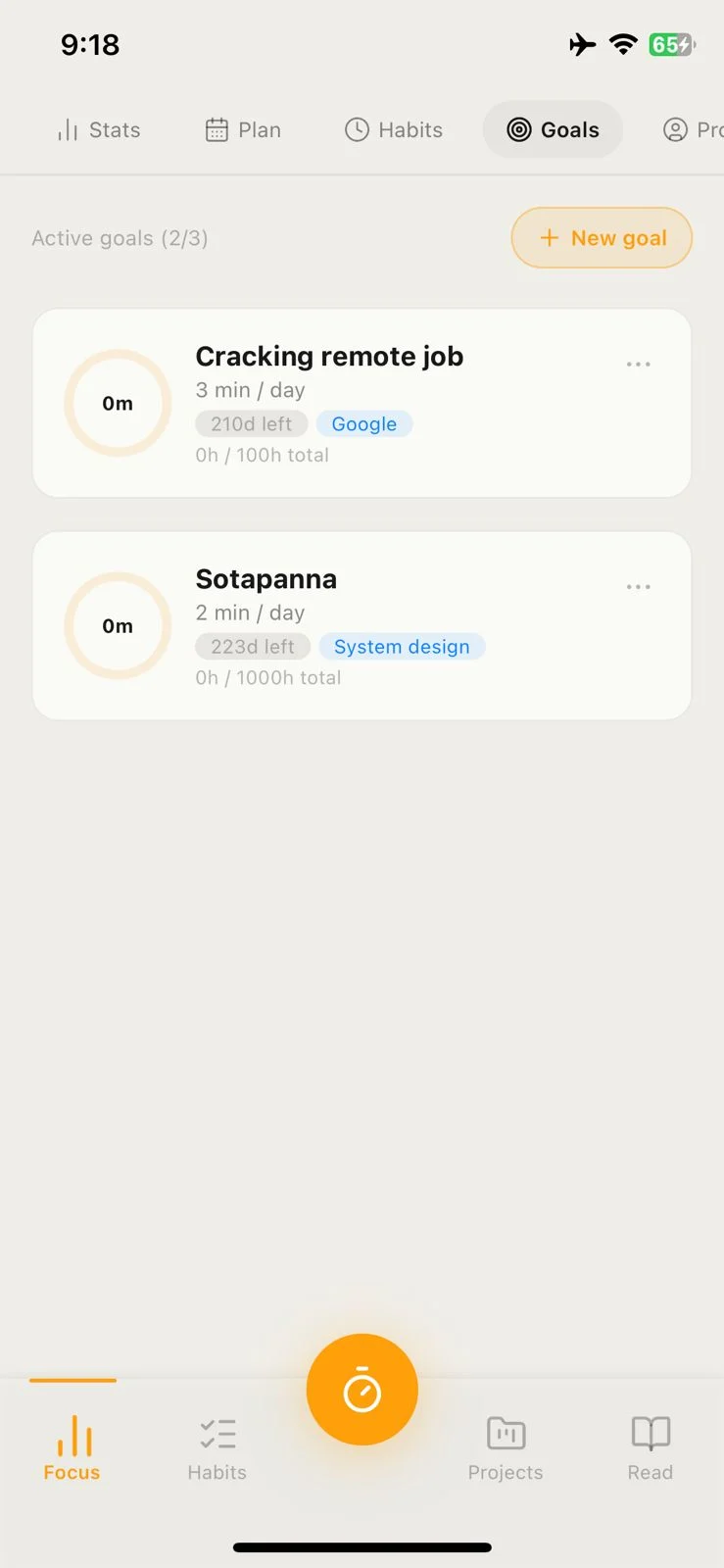
  • Create a goal with a total-hours target and a deadline.
  • Link it to a project or tag and your Pomodoro sessions count toward it automatically — no logging needed.
  • Milestones at 25%, 50%, 75%, and 100% so you can feel progress along the way.
  • Set a daily reminder if you want a nudge to keep going.
Pomogolo Goals tab showing two active goals — Cracking remote job and Sotapanna — with daily targets and progress
Journal & reflection

A running record of how your work is going

One feed shows your sessions, reflections, and quick notes together — grouped by day. The daily reflection walks you through mood, biggest win, biggest challenge, what you're grateful for, and tomorrow's top priority.

📔Daily check-in
Quick note
🔍Search everything

Insights shows your mood trend, best focus days, and an "On this day" entry from a year ago.

Ambient sounds

Background sounds that help you focus — no internet needed

Nine tracks bundled inside the app — rain, nature, ambient music, brown noise, white noise. Sound pauses on breaks and picks back up when you start again.

🌧️Rain
🌿Nature
🎵Ambient

Everything downloads with the app. It works without internet, every time.

Privacy & offline

What happens on your phone stays on your phone

No servers. No data leaving your device. Ever.

On-device storage
Sessions, habits, reflections, goals, and projects live in a local database on your phone — not in a cloud.
No servers at all
There's no backend. No sign-up, no sync, no internet required. The app works completely on its own.
No tracking
No analytics, no telemetry, no crash reporters watching what you do.
Delete anytime
Settings → Reset Data wipes everything immediately. Uninstalling does the same.
One exception
The only network request the app ever makes is to validate your subscription with RevenueCat, if you're on Pro.
Always works offline
Every feature works without a connection. No exceptions.
Get started

Your first session takes 30 seconds to set up

Download the app, pick a timer length, and go. No account, no onboarding, no friction.
Pomogolo Pomodoro timer screen